

注释
.png "CNC 等离子 THC 集成 #1260")
|
我偶然发现了一点,认为我找到了解决方案。 在 gcode.c 文件中,我找到了以下用于主轴控制的代码块: 并向其添加了另一个 if 语句。所以目的是,如果命令是打开主轴,它会使用我在文件其他地方找到的代码执行进给保持。 所以现在当 gcode 发送 M03 命令时,它会进入暂停状态。我在一个 gcode 文件上测试了这个,该文件在切割一些字母的过程中两次触发手电筒。将屏蔽上的恢复引脚接地,然后恢复程序。通过 UGCS 发送的“~”恢复命令在此保留时将不起作用,但我应该可以接受。我只是想知道这是否表明我忽略了可能导致问题的事情。 |
.png "CNC 等离子 THC 集成 #1260")
|
G4 会停留一定的时间来暂停,为你想要的工作吗? |
|
不会,因为探头将花费不同的时间,具体取决于开始时割炬头与工件的距离。完成探测后,THC 会向等离子电源发送信号以点燃电弧,因此 CNC 控制器需要在与该电弧相关的精确时间恢复运动。 |
.png "CNC 等离子 THC 集成 #1260")
|
我认为这是错误的方式。例如,如果您启动 ARC,并且 ARC_OK 没有在 2 秒内到达,则必须发出错误并且必须关闭所有。您可以在外部处理此问题,就像压力传感器(微动开关和硅胶管)一样,以便在压力缺失时关闭,同时您必须/应该计时 ER 和耗材使用。做 THC 很简单,我不明白你是 arduino 的问题,也许只是做一张 arduino 板的图片和包括接地在内的连接示意图。可以显示问题。也许等离子桌和电缆链的整体照片还不错。2017-07-08 2:37 GMT+02:00,bduplan <notifications@github.com>:
|
|
THC 很简单,THC 侧需要什么: ―> ARC OK ―> THC UP ―> THC DOWN <― Torch ON <― 协议/电荷泵 <― THC LOCK 如果不是 UP/DOWN,它应该发出脉冲,而不是up/down <― Z DIR <― Z STEP ―> THC STEP ―> THC DIR 如果没有等离子不在 Z 上直接通过,并在运行期间发射简单的脉冲发生器在等离子运行期间,通常不驱动 Z 轴,它仅在两种情况下被驱动:检查材料高度以设置正确的起始高度,以及使用不均匀切割的小材料作为控制回路时速度更快。基本上有 2V 50/60Hz 噪声过大,这就是为什么较高电压优于较低电压的原因,因为具有 150V 和 2V 噪声不同于具有 2.94V 和 2V 噪声。那没问题,但这意味着以 50Hz 为例,需要集成 2500 个样本(50khz)或 60hz 3000 个样本。这将最大单个样本值减少到 50 或 60 / 秒。如果平均 4 个样本,即低平均,则为 12.5 或 15 个实数值/秒。由于有向上/向下的反馈,这只适用于较厚的材料。较薄的材料需要使用欧姆传感器和软件校正预先映射或使用更高的传感电压。Grbl 需要什么。这取决于您使用什么以及是否使用 WDT。以 TORCH-ON 为例,它必须以 2 秒的间隔自动触发 WDT,如果这会产生中断,它应该中断等待反馈信号并返回 ERR。等离子有两个传感器,一个是欧姆传感器,通常在运行期间自动停用,另一个是接触传感器和/或碰撞传感器。两者都可以使用探头输入和 m4 来切换传感器。由于这两个输入如果被触发需要立即暂停,它应该被映射到限制开关,如果等离子正在运行并且探头输入处于活动状态,它应该尽快停止。A4 可用于回读 ARC-OK 等离子台还有什么其他要求的信号。一般来说,等离子工作台可以在没有限位开关的情况下工作,只需要对穿孔高度进行 Z 控制,并且通常有伺服驱动的微动开关来检查穿孔高度。工作时,(ARC-OK)不使用Z脚,如果继电器对外交换此脚,此脚可作他用。更多 Z 引脚 DIR XYZ STEP XYZ ENABLE LIMIT XYZ M3 Spindle enable M4/M12 Spindle direction ABORT/FEED-HOLD/START M8 M7/M10 Probe Plasma cut need: DIR XY(Z) STEP XY(Z) ENABLE ABORT/FEED-HOLD /START M3 (Torch ON) M4 (Scribe ON) M8 (LOCK) M7 (交换Z轴或气动Z, enable it) Probe (ohmic sensor) Limit Z (Limit + and – + collision switch) 操作面板有一个开关将碰撞开关路由到探头输入 Limit X 是为归位和限位开关设置的。限制 Y 用于 ARC ON 输入 需要的修改是:M4 需要使用 M5 关闭,hovewer M12/M13 可以用来代替具有相同的行为。2 秒定时器用于确定并检查限制 X,包括启用软件方法以在(arduino)THC 上设置和获取方法以计算耗材使用量,秒)限制 Y 不应进入停止模式,相反,它应该暂停和/或记录它已执行的行号,因为等离子体经常工作 10 分钟,暂停 90 秒,然后再次工作 10 分钟。如果发生这种情况,发送器软件知道它执行了什么代码和位置是至关重要的,因为它需要再次点燃手电筒,如果这不起作用,请等待 30 秒,再次点燃,等待 60 秒,再次点燃,等待 120 秒再次开火,等待 300 秒,再次开火,等待 600 秒,最后一次托盘。并在可能的情况下继续工作。后处理器必须代替 M3 生成如下代码:( G31Z-100 ) G38.2Z-100 F100 G92Z0 G0Z4.8(或程序中的高度计算,在后处理器中使用变量作为穿孔高度)M3(这里应该触发 2 秒计时器,并且在 limitY 开启后,限制应该包含在限制掩码中)G4P0.8(穿孔延迟,thc 延迟设置为 1 秒)F3200(或从程序计算的速度,使用后处理器中的变量作为穿孔高度)。用于设置它或存储/调用它。最终 G70 最大的问题是,对于不同的材料或速度,需要再次运行后处理器,因为不可能使用变量,并且每次穿孔 (m3) 都会破坏 F 速度。这是一个大问题。在这种情况下,我建议添加 10 个变量,这些变量可以使用 $99N 设置并使用 #99N 调用,#97N 可以是输入引脚,…,#90N 是当前系统位置,#91N 是规划器/Gcode 位置。 .. 并添加符号 [ thc 延迟设置为 1 秒)F3200(或从程序计算的速度,使用后处理器内部的变量来确定穿孔高度)。用于设置它或存储/调用它。最终 G70 最大的问题是,对于不同的材料或速度,需要再次运行后处理器,因为不可能使用变量,并且每次穿孔 (m3) 都会破坏 F 速度。这是一个大问题。在这种情况下,我建议添加 10 个变量,这些变量可以使用 $99N 设置并使用 #99N 调用,#97N 可以是输入引脚,…,#90N 是当前系统位置,#91N 是规划器/Gcode 位置。 .. 并添加符号 [ thc 延迟设置为 1 秒)F3200(或从程序计算的速度,使用后处理器内部的变量来确定穿孔高度)。用于设置它或存储/调用它。最终 G70 最大的问题是,对于不同的材料或速度,需要再次运行后处理器,因为不可能使用变量,并且每次穿孔 (m3) 都会破坏 F 速度。这是一个大问题。在这种情况下,我建议添加 10 个变量,这些变量可以使用 $99N 设置并使用 #99N 调用,#97N 可以是输入引脚,…,#90N 是当前系统位置,#91N 是规划器/Gcode 位置。 .. 并添加符号 [ 最终 G70 最大的问题是,对于不同的材料或速度,需要再次运行后处理器,因为不可能使用变量,并且每次穿孔 (m3) 都会破坏 F 速度。这是一个大问题。在这种情况下,我建议添加 10 个变量,这些变量可以使用 $99N 设置并使用 #99N 调用,#97N 可以是输入引脚,…,#90N 是当前系统位置,#91N 是规划器/Gcode 位置。 .. 并添加符号 [ 最终 G70 最大的问题是,对于不同的材料或速度,需要再次运行后处理器,因为不可能使用变量,并且每次穿孔 (m3) 都会破坏 F 速度。这是一个大问题。在这种情况下,我建议添加 10 个变量,这些变量可以使用 $99N 设置并使用 #99N 调用,#97N 可以是输入引脚,…,#90N 是当前系统位置,#91N 是规划器/Gcode 位置。 .. 并添加符号 [#990 = X + 3.2 ] 添加一个小型表达式计算器,忽略 [ 和 ] 除了将其用作 ( ) 和 [ #NNN = calls 应该等同于 $NNN = ,但允许在 gcode 中使用并限制为 95x 到 999范围。表达式解析器很简单,但根本不需要,只需添加 #9NN 符号并手动设置就足够了。您使用或编写的用于发送代码的程序是什么?2017-07-08 17:17 GMT+02:00,Cri S <phone.cri@gmail.com>:
|
|
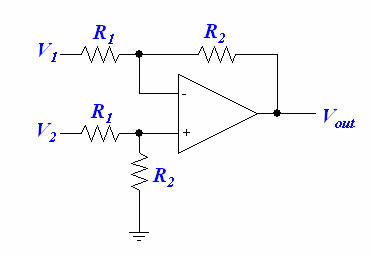
感谢您的全面回复。我不得不承认我需要一点时间来消化其中的大部分内容。我了解 THC 操作,因为我在设计我的第一个时花了很多心思。第二个 Uno 处理了您概述的所有功能。我遇到的问题是不稳定。有时切割时它会崩溃。削减几次然后重置就可以了。因为我通过串行监视器处理了材料厚度识别,它会重置并询问用户切割中间的厚度。我遇到的另一个问题是获得准确的电弧电压。它非常准确地读取电池电压和 0-5V 之间的任何数据,但切割电压有点嘈杂,通常低于应有的水平。我拥有的 Hypertherm Powermax 45XP 给出了分弧电压,但我猜它没有过滤好。这是我需要测试的东西。我可以在运算放大器板上制作一个 RC 滤波器来测量电压。我必须使用运算放大器,因为 Hypertherm 在 (+) 和 (-) 引脚上提供分弧电压 (50:1),但两者都没有接地参考。所以我制作了一个运算放大器电路,接地参考电压测量,以便 arduino 可以在模拟引脚上读取它。我还有一个让 arduino 更稳定的想法,我将通过简单地测量电弧电压并查看 Uno 的性能来对其进行测试。所以我制作了一个运算放大器电路,接地参考电压测量,以便 arduino 可以在模拟引脚上读取它。我还有一个让 arduino 更稳定的想法,我将通过简单地测量电弧电压并查看 Uno 的性能来对其进行测试。所以我制作了一个运算放大器电路,接地参考电压测量,以便 arduino 可以在模拟引脚上读取它。我还有一个让 arduino 更稳定的想法,我将通过简单地测量电弧电压并查看 Uno 的性能来对其进行测试。 昨天,我设法在我的后处理器中获得了可靠的探测序列。有趣的是,如果探测后跟一个圆弧,我会得到错误 33 并且它不会被执行。圆弧确实位于 0.0005 以内的路径上。通过将我的引导从圆弧更改为直线,它起作用了。我在最新的 grbl 1.1 和 0.9j 上验证了这种行为。 (作为旁注,最新的稳定 UGCS (1.0.9) 在 grbl 1.1 上不显示机器位置,但在 0.9j 上显示。) 我买了 SheetCAM 来编写 gcode。SheetCAM 存储工具,我为每种材料厚度准备了一个工具。不同厚度的再加工对我来说不是问题。我使用了 Mach3_plasma 帖子并对其进行了一些修改。这部分给了我探测: 以上工作正常,所以剩下的就是切割时根据分弧电压进行调整。如果我能让我的另一个 Uno 处理这个问题,我可能会使用它。根据经验,我希望看到的问题是: |
|
海宝输出的 50:1 实际上是 51:1,对于公差,它可能也不同。此外,我认为您没有 Vref 所需的上限,也许您也需要校准 5V 值。将值存储在 eeprom 中,如果它崩溃,您不需要重新输入值。您是否已使用 usb 连接您的第二个 arduino,或者如果没有,则没有电流隔离到 pc?地面参考是什么意思?pierce delay 和 thc delay 需要相互关联,因为这通常是 fix 。10mm 对检查高度来说有点小,应该先回原点Z 高度,例如G53Z0。并且您对 pierce hieght 感到困惑,将其硬编码为 11,85 mm,然后使用 pierceHeight * scale。1) 改为使用 pwm 或在 adc 读数之间发出它。2) 如果您选择了两个具有相同引脚的不同端口,这很简单。作为示例和猜测: #define plasma_start ((PLASMA_PORT&_BV(PLASMA_PIN))==0) #define Z_MASK (_BV(Z_DIR_PIN)+_BV(Z_STEP_PIN)) noInterrupts(); while(!plasma_start) { PORTB=(PORTB&~Z_MASK)|(PORTA&Z_MASK) } 中断(); 这里 PORTB 是 step/dir 输出,PortA 是 step/dir 输入,在两个端口上使用相同的引脚。我不知道其他软件,但如果不使用上面的东西,来自 arduino 的毫秒计时器中断可能是丢失步骤的原因。3)没有任何连接图和描述和照片,我只能猜测,根据这封邮件的回复,猜测是你在接地/emi 上犯了大错误。4) 如果喷嘴额定为 100.000 秒并且您需要在 20 秒时更换它。0000 秒表示有问题。2017-07-09 19:32 GMT+02:00,bduplan <notifications@github.com>:
|
|
回复:电弧电压校准。Hypertherm 背面有一个 amphenol 端口,该端口具有用于触发电弧的引脚、接地引脚、电弧正常引脚(干接触接地)以及用于分压电弧电压的 (+) 和 (-)。我首先尝试通过将 (+) 引脚连接到 THC Uno 上的模拟引脚并将 (-) 引脚接地来测量电压。这给出了非常不一致的值。(-) 引脚在切割时测量到接地时读取电压,有时它是正的和负的。所以我构建了一个微分器运算放大器电路来测量 (+) 和 (-) 之间的差异,然后输出该电压(这就是我所说的接地参考电压,因为电压现在是从所有的公共接地点测量的控制使用。)起初,我在运算放大器电路上的增益是 1,你是对的,它在 5V 时确实有问题。因此,我通过增加电阻将增益降低到 1/2,现在它可以准确地测量 1.63V 的电池、两个 3.26V 的串联电池和 5V 的 Vref。在 5V 时,它的测量值为 4.96。 我将不得不查找如何写入 eeprom,但我不知道这可以通过编程方式实现,所以这是个好消息。 grbl Uno 和我的 THC Uno 都通过 USB 连接到笔记本电脑。THC Uno 似乎没电了,所以我也用 1A 9V 直流壁式电源适配器为它供电。我认为这是导致我的崩溃问题的一个重要因素,因为电线没有屏蔽并且在我的电箱之外运行。 我有一个装有电子设备的家用断路器盒。它通过橡胶隔离器(电气和振动隔离)安装到台架上,并通过 4ga 绞线直接接地到 8′ 接地棒。台架也与接地棒单独接地。所有接线(电源线除外)均已屏蔽并接地到底座。在电线进入电子盒之前,我在电线上安装了铁氧体磁芯。箱体所有孔洞(一个120mm风扇孔,三个排风孔)都用铝窗纱盖住。grbl Uno 永远不会崩溃。 我的割炬头漂浮在轴承上,4.85 毫米是割炬头接触工件和触发探头开关之间的测量值。因此,当探头开关打开时,Z 轴低于零,因为它必须在割炬开始升起之前重新升起。然后,我将割炬提升到零以上 7 毫米,然后返回以解决运行 z 轴的螺杆驱动器中的反冲。这确保我获得正确的穿孔高度 (0.15″),并且只要 grbl 要求它下降到切割高度 (0.06″),z 轴就会响应。我已经证实这适用于千分表,并且始终在 0.003″ 以内。 非常感谢您抽出时间帮助我!我将研究 _BV 函数和中断。我正在使用中断来测量 X 和 Y 步,以便我可以确定它们是否足够快地进给以进行 Z 调整,或者我是否应该在减速转弯时停止 THC。稍后我将在删除探测例程后发布我的 THC 代码,因为它在 grbl 中工作。 在探头后放置 G02/G03 圆弧后,您是否遇到过错误 33?如果我注释掉 G38.2 行并保留其他所有内容,则弧工作正常。我现在使用线性导入而不是弧形导入。 |
|
通常你将等离子工作台接地,即 (+) 和 (-) 相对于地球是负的,但如果夹子没有连接到工作台,它相对于地球是浮动的,实际上是几百伏。THC 不必接地,从不,从不,除了读数错误和不稳定之外,它还存在安全风险,并且只使用真正的变压器,而不是 dc/dc。如果出于多种原因需要将 THC 连接到笔记本电脑,请仅使用光隔离串行连接,两个便宜的光耦合器和电阻就足够了。如果你没有串口转换器,你可以使用 arduino 作为 usb-ttl 转换器,将复位连接到地,并使用 TX 和 RX(引脚 0 和 1)用于 rs232。连接 1kohm 电阻以在连接错误引脚时保护引脚,如 TX 接收和 RX 发送。THC 必须根据电流调整高度,在等离子运行期间,grbl 不要 除了穿刺之外,不必发出任何 Z 运动。错误 33,将小数位数增加到 4(毫米)或 5(英寸)或将项目转换为公制,然后执行 CAM 并使用公制 gcode 文件,这是精度问题,尤其是在 Autodesk 产品中。2017-07-10 14:18 GMT+02:00,bduplan <notifications@github.com>:
|
|
等离子工作台接地到接地棒,该接地棒被打入地下 8 英尺。我通常将大夹子从等离子电源夹到工件上,但我已经将它夹在工作台和接地棒上(Hypertherm 的 Jim Colt 给其他人的建议。) 我不明白你什么时候说不要将 THC 接地。你如何在不共用地面的情况下为它供电或让它向/从 grbl Uno 发送信号? 我的 gcode 是公制的,精度为 4 位小数。如果 G38.2 在那里,它只会出错。如果我将其注释掉并离开 G92,它不会出错。(坐标都是错误的,但不会抛出错误。) |
|
最终我可以在模拟器上运行它并检查真正的原因。发布或发送原理图和连接图或 sccheches,如果您不理解接地声明,我可以告诉您更多信息。如果您想要 g**gle 搜索“Class II”设备。
|
|
会做。希望我今晚回到家时会有一些时间。
|
.png "CNC 等离子 THC 集成 #1260")
|
嗨,大家好, 我刚刚连接好我们的测试平台,并将在太平洋夏令时间明天下午 6:00 运行 plasma/grbl 测试,在我们的 youtube 频道上直播。我们使用的是带有 CNC 直割炬的 Lotos LTP5000D。Grlb 版本 1.1f。 谢谢 鑫 |
|
@zentoolworks 是否有更多技术数据,例如 LTP5000D 的引出线、接线和技术数据? |
|
Here is how I have the Uno THC wired up with the relays and the Z driver. The X and Y drivers (and the cloned X on A) are 8825’s on the grbl shield. My next step was to take the wall wart that’s powering the THC and get power from inside of the metal box, after the EMI filter. It’s similar to this: https://www.picclickimg.com/d/w1600/pict/121235665835_/1pc-NEW-AC-Power-Line-EMI-Filter-10A.jpg Diagram: I don’t really need to have the THC hooked to the computer while cutting, if it’s a problem. Here’s a picture of the wiring from before I put the op-amp in for the divided arc voltage. The op amp circuit: |
|
LTP4000D Lotos is a 50A machine without any probe feedback. I am using Pin12, spindle enabling, to control the plasma torch trigger. Currently, I just have X and Z axis setup, so it will only cut out a straight line. Eventually, I want to probe the cutting area first, and use that data to compensate the torch height. Here is a sample gcode sequence that will be sent over to grbl shield. We assume that the surface is flat for now. S1000 |
|
As you don’t have send schematic or block schematic of THC i cannot full advice the problem.. – do you have inductors 1mh / 220mh / whatever , LC filter that block the HF ? it is not needed but it block a lot of noise. – The power supply and THC you have is grounded on GND. – plasma table, the grounding is on (+) and not on (-) , and if the THC is not galvanically isolated (optocoupler, …. ). I’m sure you not have connected plasma(+) to gnd on thc, but plasma (-) and this create the problems for galvanic isoltation. 2017-07-11 19:07 GMT+02:00, Xin Chen <notifications@github.com>:
|
|
By schematics do you mean the sketch? As for hardware, its just an Uno. I dont have inductors but I do have resistors and capacitors for an RC filter that I haven’t put together yet. Should I just unhook the ground to the power supply, leaving the load and neutral wires? The metal chassis of the power supply contacts the main electrical box which is also grounded to a different ground rod. The plasma ground wire does go to my ground bus bar. I can disconnect it. The (-) of the divided voltage goes to that op amp so the difference bw (+) and (-) can be determined. If I hook it to the THC ground, then the (-) will have a negative voltage. I didnt think that could be read on an Uno’s analog pins. Thanks Bernie
|
|
Here is the code on the THC Uno. I haven’t run this particular sketch yet. I had been running another version which included probing, so I just removed the probe pieces and this is what’s left for the closed-loop arc voltage feedback portion. |
|
yes, reading negative voltages is possible, need different circuit. The problems are different ground connections. I suggest you to buy usb to rs232 ttl interface (6 pin) or use arduino for that holding it in reset state for using only the usb converter. and use optoisolator in order to protect the pc/laptop. http://www.deep-shadows.com/hax/wordpress/?page_id=372 https://softsolder.com/2010/01/13/arduino-serial-optical-isolator/ Just RX and TX is needed Probably PC is grounded and 24V supply is grounded, maybe use power
|






我正在运行带有 v3.51 grbl 防护罩的 0.9j。它在我的 4×4 英尺数控等离子工作台上运行良好,但我很难让割炬高度控制器工作。我编写了第二个 arduino uno 作为火炬高度控制器 (THC),它一直工作到等离子电源打开。等离子弧会产生大量 EMI,我无法阻止 THC uno 在切割过程中崩溃和重启。有时效果很好,但其他时候却不行。我已经屏蔽并接地了所有东西,grbl 控制器很好。我在设计、构建和故障排除之间尝试了几个月。无论如何,我现在正准备硬着头皮购买像 Proma THC 这样的集成装置。我真的需要让机器工作并使用它。
THC 获取 SpinEn 输出,在不使用 THC 时触发等离子弧继电器,并拦截它。它首先使用它作为触发器进行探测,然后将信号发送到继电器以启动等离子体。然后它会等待一段预定的时间(~0.5 秒)并向 CNC 控制器发送一个“Arc OK”信号,告诉它开始 X 和 Y 运动。当我的海宝等离子机检测到电弧已穿透金属时,它也可以发送电弧正常。
所以我的问题是:“arc OK”反馈可以作为恢复命令发送到 grbl,但我一开始不知道如何保持它。我希望有一种方法可以在后处理器中放置一个命令,使 grbl 进入暂停状态。我对此很陌生,所以我试着放一个“!” 在紧跟在 M03 命令之后的行上,我相信您知道这会为不受支持的 g 代码命令引发错误。但我提到这一点是为了说明我正在努力实现的目标。有没有办法让 grbl 在继续之前基本上等待 Arc OK 信号?
谢谢你的帮助!