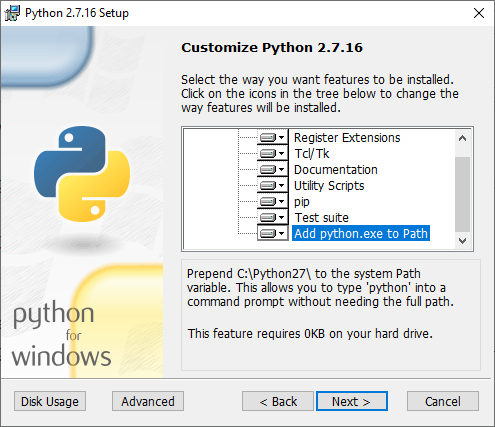
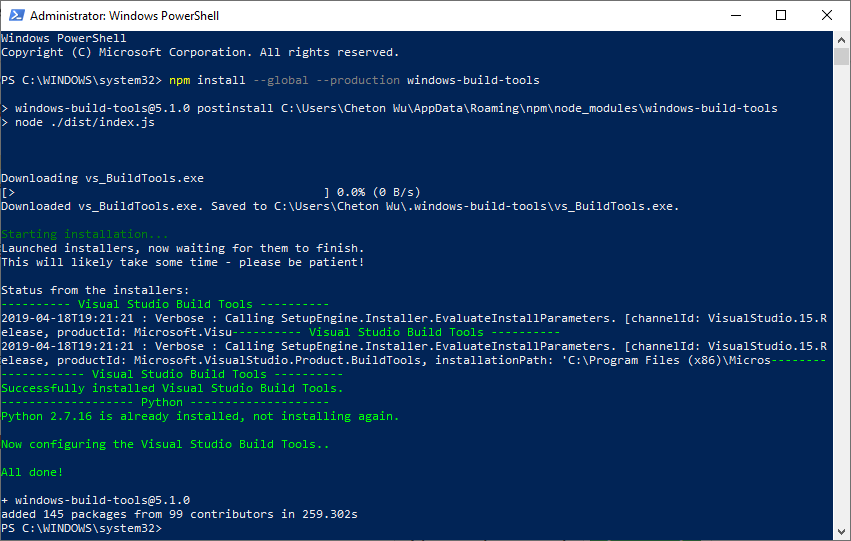
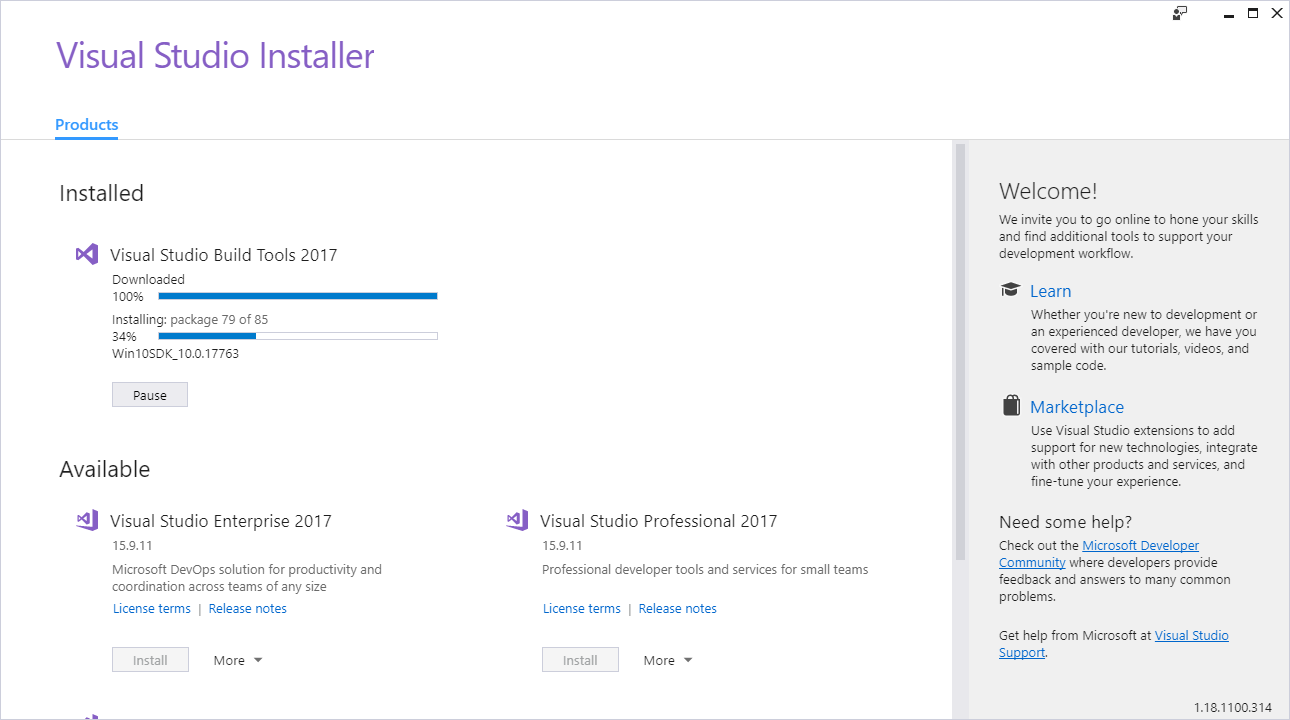
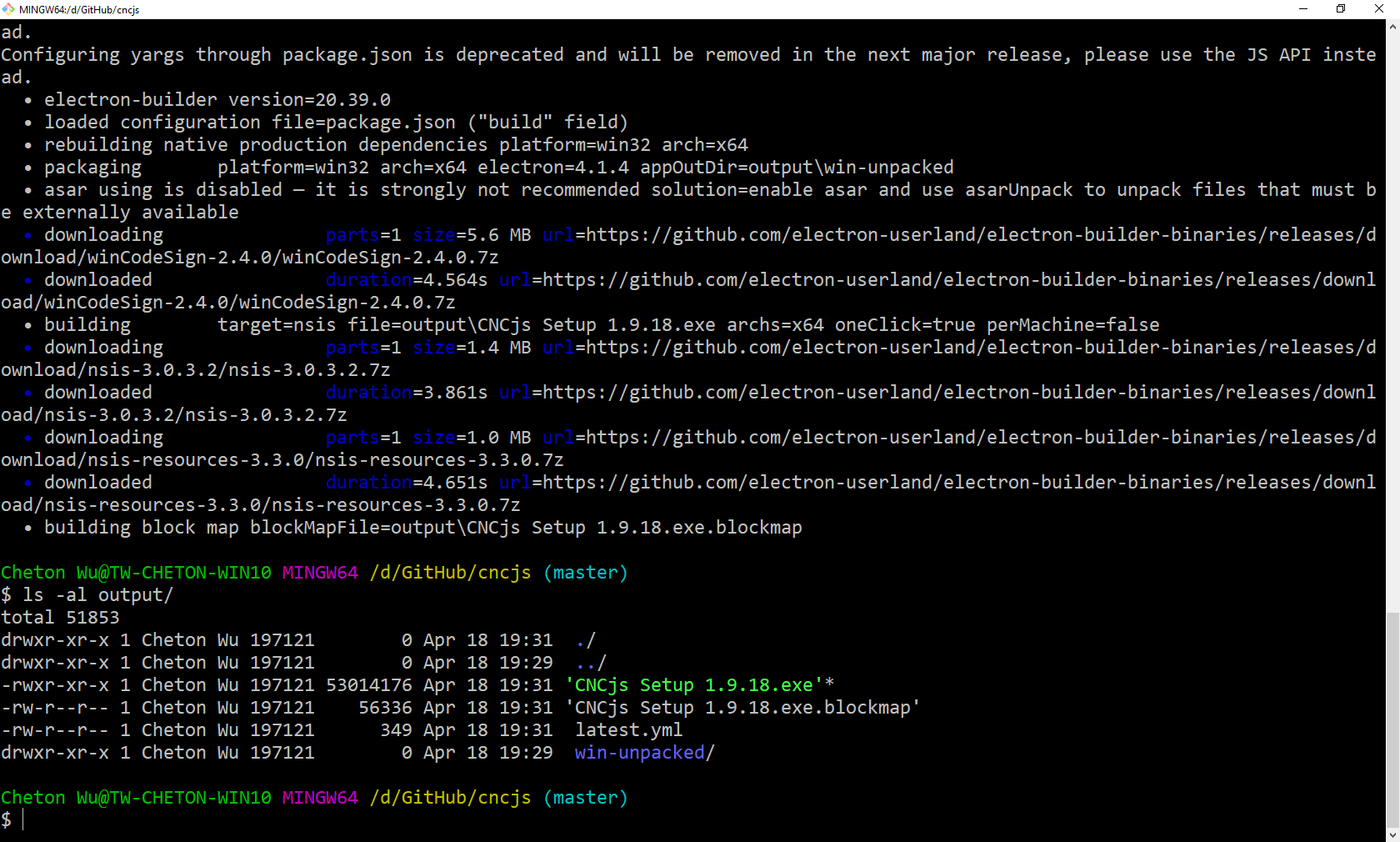
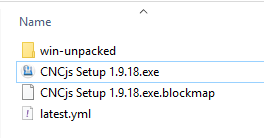
关闭 4 个任务中的第 1 个 hupf0211 打开了这个问题 2019 年 4 月 12 日 · 15条评论 关闭 4 个任务中的第 1 个 如何编译和生成.exe 文件?#448 hupf0211 打开了这个问题 2019 年 4 月 12 日 · 15条评论 注释 hupf0211 评论了 2019 年 4 月 12 日 • 编辑 描述 我是小白,如何编译生成.exe文件? 版本 CNCjs:1.9.x 节点.js:6.x NPM:5.x 你如何安装CNCjs? NPM 下载 CNCjs 桌面应用程序 操作系统 [] 不适用 [x] 窗户 苹果 Linux 合作者 奇顿 评论了 2019 年 4 月 18 日 • 编辑 我不是经验丰富的 Windows 开发人员,以下过程可能会有所帮助: 为 Windows安装Git 安装Python 2.7.16 – Python 3 与构建过程不兼容 一定要选中Add python.exe to Path 安装Node.js v10 在PowerShell下安装 Windows Build Tools 。您需要右键单击PowerShell并以“管理员身份”运行。 npm install --global --production windows-build-tools 在这里启动Git Bash(不要使用Windows 命令提示符或Windows PowerShell)。在Git Bash下,克隆 repo 并构建代码 $ git clone https://github.com/cncjs/cncjs.git $ cd cncjs $ npm i 运行构建脚本 $ npm run prepare $ npm run build:win-x64 $ npm run build:win-x64 > cncjs@1.9.18 build:win-x64 D:\GitHub\cncjs > bash -c 'scripts/electron-builder.sh --win --x64' /d/GitHub/cncjs/dist/cnc /d/GitHub/cncjs Cleaning up "/d/GitHub/cncjs/dist/cnc/node_modules" Installing packages... > serialport@6.2.2 install D:\GitHub\cncjs\dist\cnc\node_modules\serialport > prebuild-install || node-gyp rebuild added 529 packages from 292 contributors and audited 1395 packages in 40.654s found 9 vulnerabilities (3 low, 5 moderate, 1 high) run `npm audit fix` to fix them, or `npm audit` for details audited 1395 packages in 2.994s found 9 vulnerabilities (3 low, 5 moderate, 1 high) run `npm audit fix` to fix them, or `npm audit` for details /d/GitHub/cncjs Rebuild native modules using electron v4.1.4 > cncjs@1.9.18 electron-rebuild D:\GitHub\cncjs > electron-rebuild "--version=" "v4.1.4" "--module-dir=dist/cnc" "--which-module=serialport" - Searching dependency tree √ Rebuild Complete > cncjs@1.9.18 electron-builder D:\GitHub\cncjs > build "--win" "--x64" Configuring yargs through package.json is deprecated and will be removed in the next major release, please use the JS API instead. Configuring yargs through package.json is deprecated and will be removed in the next major release, please use the JS API instead. • electron-builder version=20.39.0 • loaded configuration file=package.json ("build" field) • rebuilding native production dependencies platform=win32 arch=x64 • packaging platform=win32 arch=x64 electron=4.1.4 appOutDir=output\win-unpacked • asar using is disabled — it is strongly not recommended solution=enable asar and use asarUnpack to unpack files that must be externally available • downloading parts=1 size=5.6 MB url=https://github.com/electron-userland/electron-builder-binaries/releases/download/winCodeSign-2.4.0/winCodeSign-2.4.0.7z • downloaded duration=4.564s url=https://github.com/electron-userland/electron-builder-binaries/releases/download/winCodeSign-2.4.0/winCodeSign-2.4.0.7z • building target=nsis file=output\CNCjs Setup 1.9.18.exe archs=x64 oneClick=true perMachine=false • downloading parts=1 size=1.4 MB url=https://github.com/electron-userland/electron-builder-binaries/releases/download/nsis-3.0.3.2/nsis-3.0.3.2.7z • downloaded duration=3.861s url=https://github.com/electron-userland/electron-builder-binaries/releases/download/nsis-3.0.3.2/nsis-3.0.3.2.7z • downloading parts=1 size=1.0 MB url=https://github.com/electron-userland/electron-builder-binaries/releases/download/nsis-resources-3.3.0/nsis-resources-3.3.0.7z • downloaded duration=4.651s url=https://github.com/electron-userland/electron-builder-binaries/releases/download/nsis-resources-3.3.0/nsis-resources-3.3.0.7z • building block map blockMapFile=output\CNCjs Setup 1.9.18.exe.blockmap Cheton Wu@TW-CHETON-WIN10 MINGW64 /d/GitHub/cncjs (master) $ ls -al output/ total 51853 drwxr-xr-x 1 Cheton Wu 197121 0 Apr 18 19:31 ./ drwxr-xr-x 1 Cheton Wu 197121 0 Apr 18 19:29 ../ -rwxr-xr-x 1 Cheton Wu 197121 53014176 Apr 18 19:31 'CNCjs Setup 1.9.18.exe'* -rw-r--r-- 1 Cheton Wu 197121 56336 Apr 18 19:31 'CNCjs Setup 1.9.18.exe.blockmap' -rw-r--r-- 1 Cheton Wu 197121 349 Apr 18 19:31 latest.yml drwxr-xr-x 1 Cheton Wu 197121 0 Apr 18 19:29 win-unpacked/ 打开 Windows 资源管理器以运行安装程序 ?1个hupf0211 回复了竖起大拇指的表情符号 cheton 添加 视窗 ❓问题 标签 2019 年 4 月 18 日 作者 hupf0211 评论了 2019 年 4 月 18 日 非常感谢,我会尝试编译,如果有问题,我会回来向你提问。 再次感谢。 合作者 奇顿 评论了 2019 年 4 月 19 日 • 编辑 @hupf0211Windows 的构建过程没有很好的记录,我将把它更新到 wiki。 https://github.com/cncjs/cncjs/wiki/Building-Instructions-on-Windows cheton已完成 关闭 2019 年 4 月 19 日 喜欢 (0) Debian 10 没有慢跑 #1520 如果探头在接触底座之前停在中间,则 BCNC 移动到 mpos #1521 v1.3.8-EDGE 重启后键盘快捷键消失 #427 关闭 无法在 gsender 1.2.0 中打开 .gcode 文件 #367 RaspberryPi 运行 gsender 时出现问题 #89 向 fluidnc 发送 $$ 会导致 gsender 崩溃 #473 v1.3.8-EDGE 重启后键盘快捷键消失 #427 关闭无法在 gsender 1.2.0 中打开 .gcode 文件 #367RaspberryPi 运行 gsender 时出现问题 #89向 fluidnc 发送 $$ 会导致 gsender 崩溃 #473功能请求:抑制发送到机器的 gcode 中的 gcode 注释。 #444 关闭通过网络连接进行连接 #171操纵杆运动的剩余问题 #204 关闭新版本认为我的机器一直处于锁定状态 #474 关闭
.jpg "如何编译和生成.exe 文件? #448")
.jpg "如何编译和生成.exe 文件? #448")






描述
我是小白,如何编译生成.exe文件?
版本
你如何安装CNCjs?
操作系统