Contact me: hankecnc@gmail.com

ERROR: Missing X real time status report per 10 seconds. Interval XXX. Correct baud rate? Try Marlin response #295

推推 grbl 3年前 (2023-02-04) 386次浏览
mdsultan11 打开了这个问题 on Jun 22, 2022 · 69条评论

评论

ERROR: Missing X real time status report per 10 seconds. Interval XXX. Correct baud rate? Try Marlin response #295

嗨,团队,很高兴在这里见到大家,感谢您出色的 GRBL 工作。

我已经构建了我的小型台式 CNC,我在这里使用 GRBL 绘图仪来运行我的坐标(X 轴、Y 轴和 Z 轴)。我从设计、组装到使它以当前设置运行等所有方面都进行了调整。
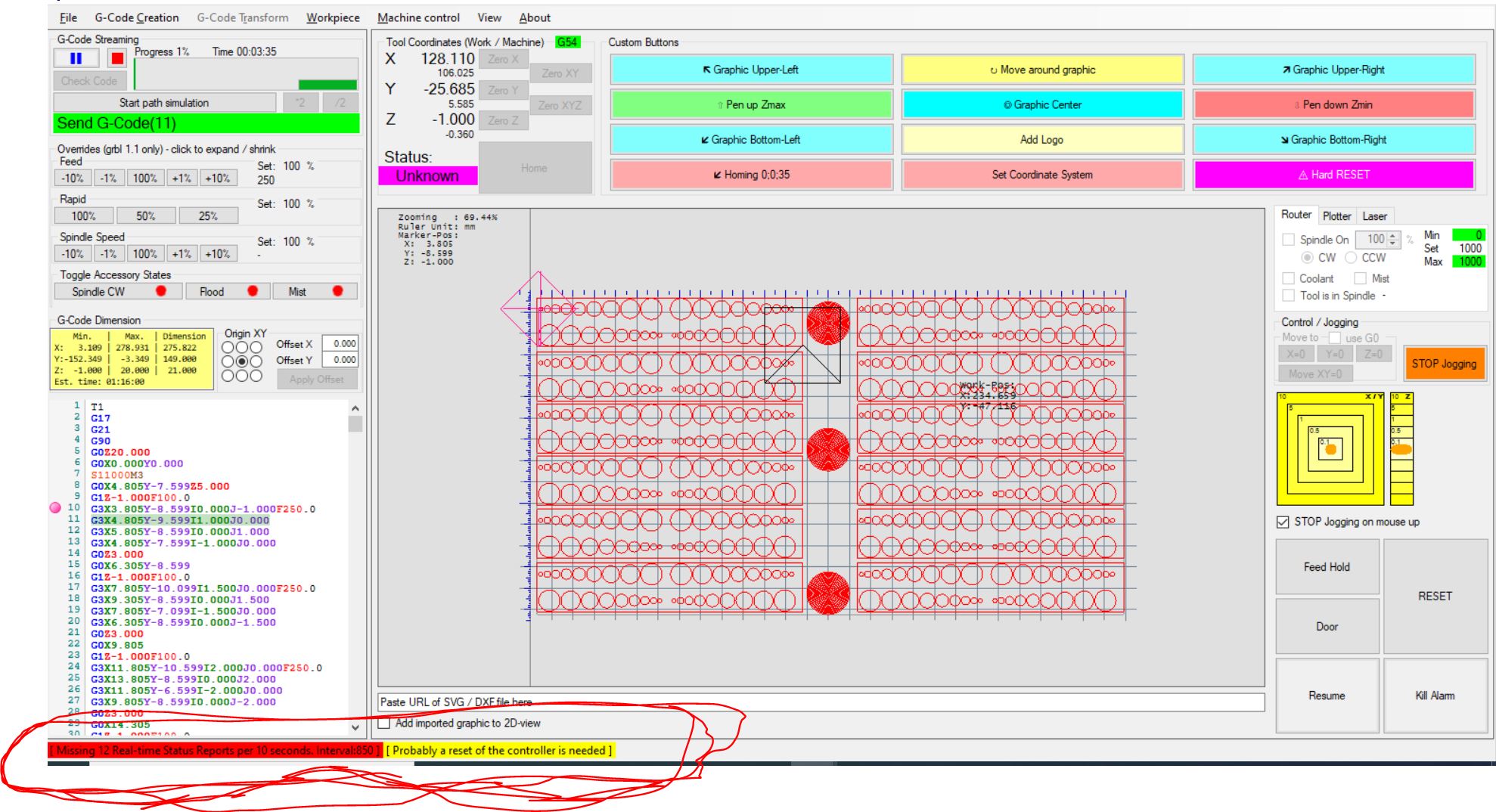
现在我遇到了绘图仪的问题,每当我将代码转储到绘图仪并尝试运行它时,它会在几秒钟内开始显示每 10 秒丢失 X 实时状态报告的错误。间隔 XXX。正确的波特率?尝试 Marlin 响应并停止运行机器。我已经尝试了很多次不同的代码和 $$ 的微小变化,但我仍然无法弄清楚确切的问题是什么!有人可以帮我解决这个问题并让它毫无问题地运行吗!
快速帮助将更加可观!提前致谢。 .
ERROR: Missing X real time status report per 10 seconds. Interval XXX. Correct baud rate? Try Marlin response #295

ERROR: Missing X real time status report per 10 seconds. Interval XXX. Correct baud rate? Try Marlin response #295
Owner
svenhb commented on Jun 22, 2022  

Hi,
can you upload the latest logfile inside the logfiles-folder?
What kind of controller you are using?
Which grbl version?
Connected via USB or Ethernet?
With USB most common problem is a bad shielded USB cable…
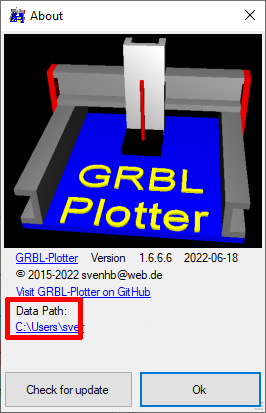
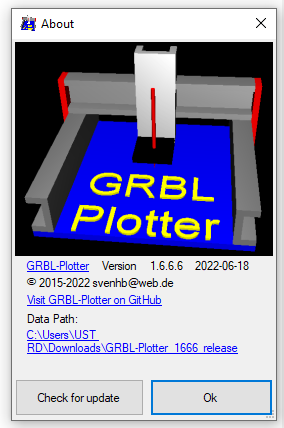
You find the location, when opening the About window from the menu:
ERROR: Missing X real time status report per 10 seconds. Interval XXX. Correct baud rate? Try Marlin response #295

ERROR: Missing X real time status report per 10 seconds. Interval XXX. Correct baud rate? Try Marlin response #295
Author
mdsultan11 commented on Jun 22, 2022  

Hi Svenhb,

Thanks for the kind and fast reply!!
can you upload the latest logfile inside the logfiles-folder? =Which log file!!?
What kind of controller you are using? = CNC shield with Arduino Uno!
Which grbl version? = 1.6.6.6
Connected via USB or Ethernet? =Through USB
With USB most common problem is a bad shielded USB cable… = Using good 4 core shielded wire with proper soldering etc!
ERROR: Missing X real time status report per 10 seconds. Interval XXX. Correct baud rate? Try Marlin response #295

ERROR: Missing X real time status report per 10 seconds. Interval XXX. Correct baud rate? Try Marlin response #295
Owner

You click on the path below “Data Path” to open the data folder, then open the logfiles folder and look for “logfile.txt”

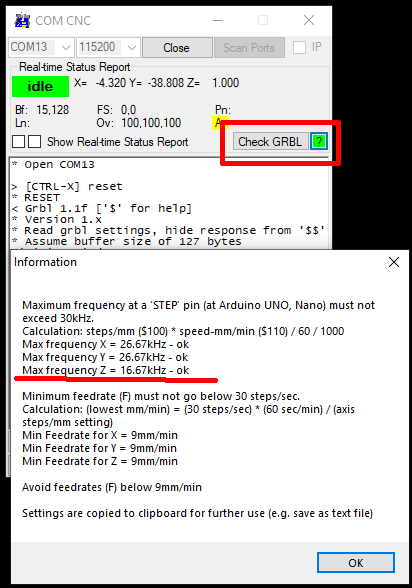
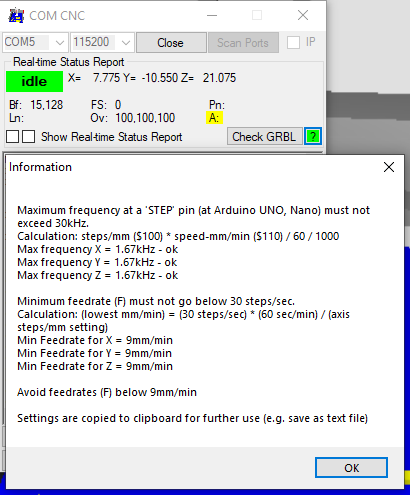
Also check your grbl-setup – all ok?
ERROR: Missing X real time status report per 10 seconds. Interval XXX. Correct baud rate? Try Marlin response #295

ERROR: Missing X real time status report per 10 seconds. Interval XXX. Correct baud rate? Try Marlin response #295
Author
mdsultan11 commented on Jun 22, 2022  

Hi Sevnhb,
ERROR: Missing X real time status report per 10 seconds. Interval XXX. Correct baud rate? Try Marlin response #295
logfile.txt

I have attached the pic and log file..

In the log files i have found multiple log files named log_20220600.0 and .1 and .2 and .3 and .4 and .5 etc

ERROR: Missing X real time status report per 10 seconds. Interval XXX. Correct baud rate? Try Marlin response #295
Owner

The logfile you sent is very short, either you look for an older one with higher file size, or you send logfile.txt right after the described problem occured….
With each start of GRBL-Plotter, the old logfile.txt will be renamed and a new logfile.txt will be created.

ERROR: Missing X real time status report per 10 seconds. Interval XXX. Correct baud rate? Try Marlin response #295
Author

oka, then this is the higher log file size i have right now!
log_20220621.5.txt
!

ERROR: Missing X real time status report per 10 seconds. Interval XXX. Correct baud rate? Try Marlin response #295
Owner

Ok, so I found:
grbl ERROR ‘error:33′ Motion command target is invalid. for
G3X119.531Y-16.023I-5.000J0.000’ lineNr:139

Can you try to send Gcode from an imported SVG or DXF file? So I know the GCode is ok…

ERROR: Missing X real time status report per 10 seconds. Interval XXX. Correct baud rate? Try Marlin response #295
Author

Quick dimension test 2.gcode.txt

Oka, this is the gcode i used it to run in my machine.. Infact not only this gcode but other smaller gcodes also didnt work with me recently. Either the Missing real time error pops up or suddenly machine stops and Kill alarm pops up within some seconds. And when i see the co ordinates (XYZ) on the plotter, even that would have jumped and would showing different.

ERROR: Missing X real time status report per 10 seconds. Interval XXX. Correct baud rate? Try Marlin response #295
Owner

You mean GRBL-Plotter was working with your machine and then from one day to the other the problem occurs?

Either the Missing real time error pops up or suddenly machine stops and Kill alarm pops up within some seconds.

I think it ia a problem with your electronic, can you try without motor-shield to avoid noise?

ERROR: Missing X real time status report per 10 seconds. Interval XXX. Correct baud rate? Try Marlin response #295
Owner

I could run your code on an Arduino nano – without connected hardware – without an error. After 5 minutes I stopped.
Also line 139 was processed without error.

ERROR: Missing X real time status report per 10 seconds. Interval XXX. Correct baud rate? Try Marlin response #295
Author

I think it ia a problem with your electronic, can you try without motor-shield to avoid noise?

I havn’t fixed any Motor yet to my machine as it is running now just with spring-PEN on paper to check the dimensions of the drawn drawings.

ERROR: Missing X real time status report per 10 seconds. Interval XXX. Correct baud rate? Try Marlin response #295
Owner

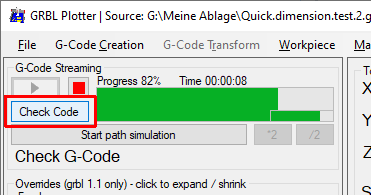
What happens, if you just check your code?
ERROR: Missing X real time status report per 10 seconds. Interval XXX. Correct baud rate? Try Marlin response #295

ERROR: Missing X real time status report per 10 seconds. Interval XXX. Correct baud rate? Try Marlin response #295
Author

ERROR: Missing X real time status report per 10 seconds. Interval XXX. Correct baud rate? Try Marlin response #295
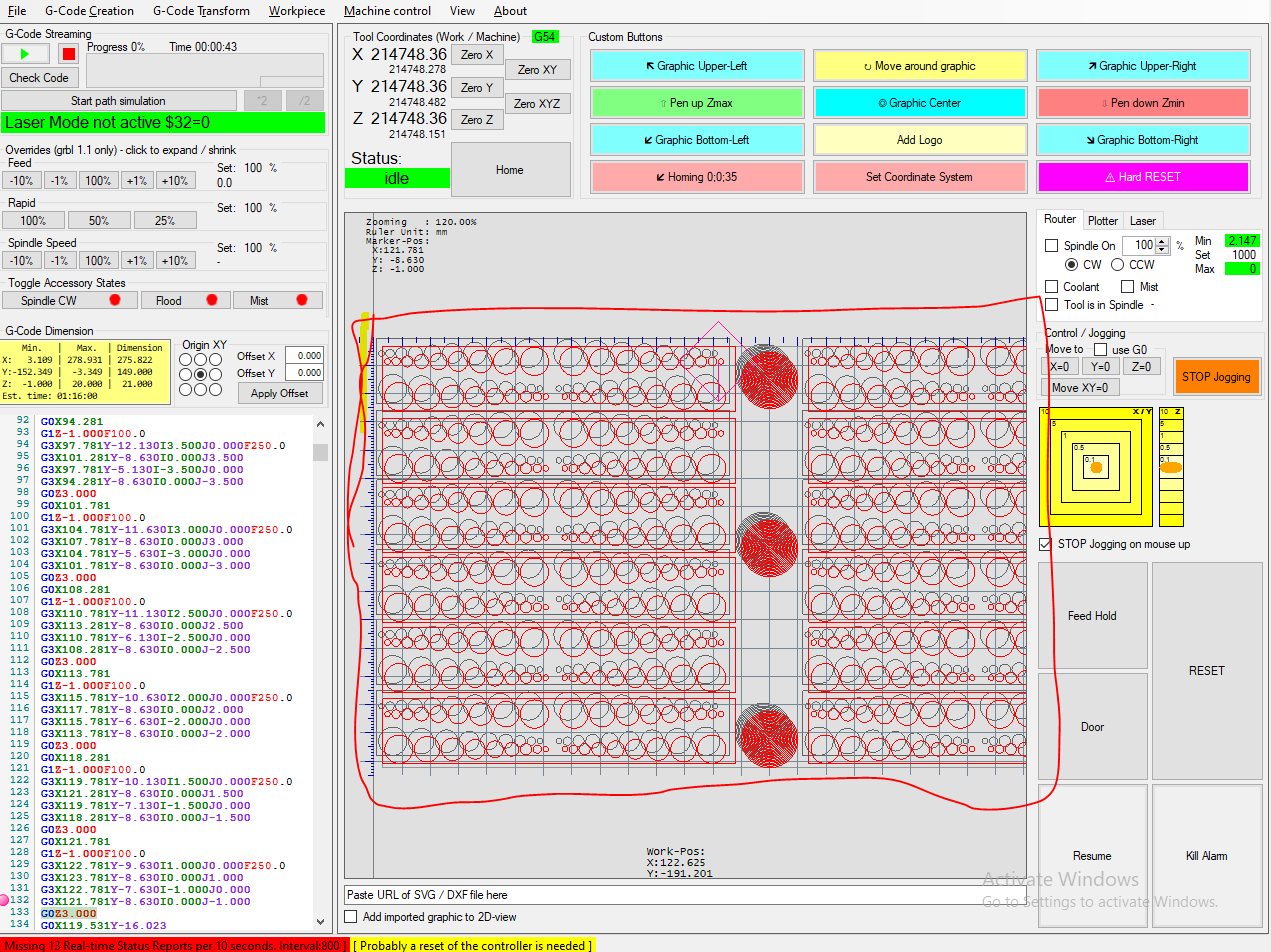
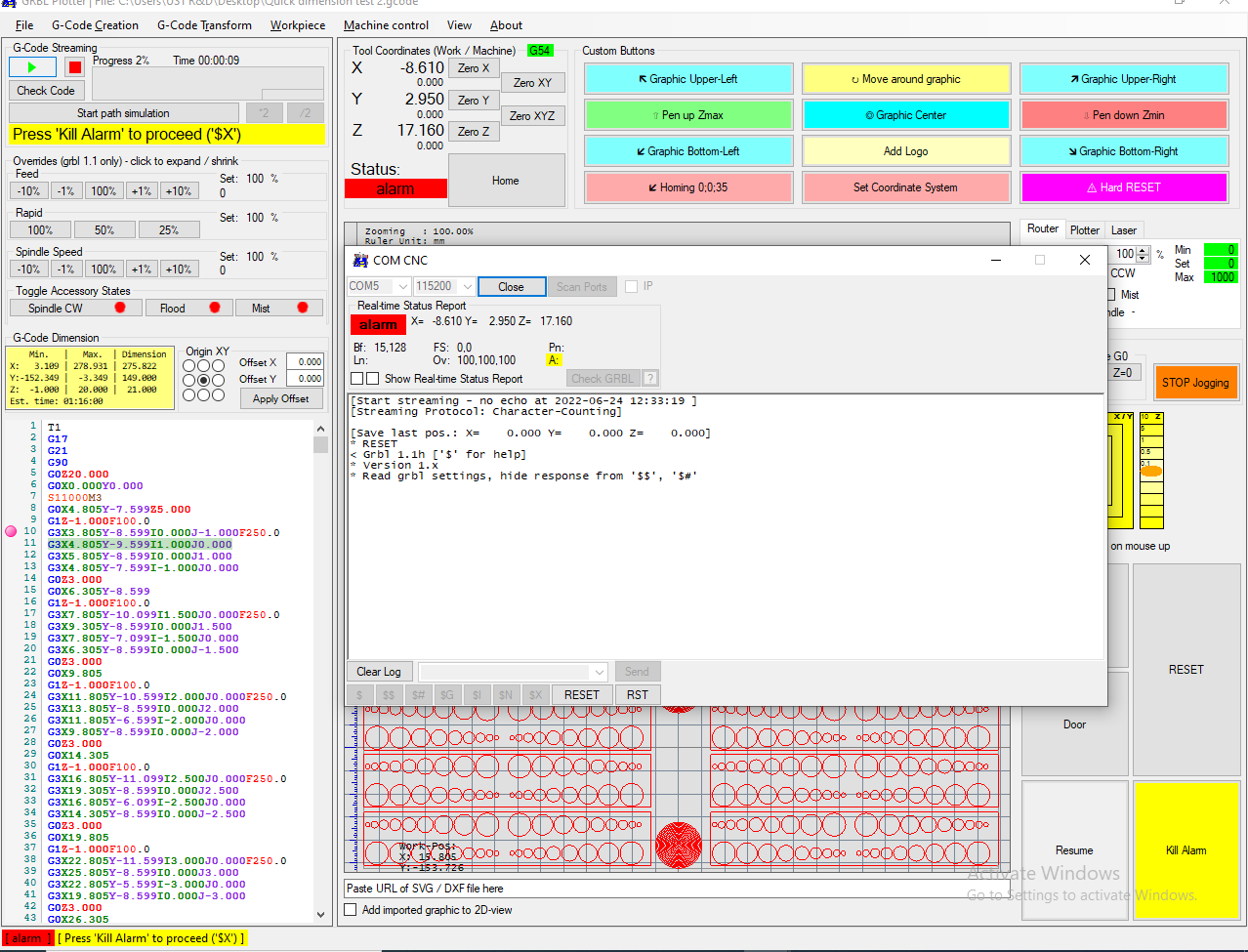
Yes, i just the code and it finished successfully, but again i ran the code and i got an error of Missing X real time issue and also i saw that the picture view is shifted inappropriately as shown in the image!

ERROR: Missing X real time status report per 10 seconds. Interval XXX. Correct baud rate? Try Marlin response #295
Owner

So, just “Check” is ok, but real streaming not – right?
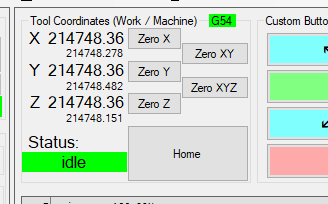
Your coordinates also looking wred, I assume strong communication issues if your stepper motors are in use…
You may check your power-supply – perhaps voltage drop-down at the arduino, when powering the stepper motors?
ERROR: Missing X real time status report per 10 seconds. Interval XXX. Correct baud rate? Try Marlin response #295

ERROR: Missing X real time status report per 10 seconds. Interval XXX. Correct baud rate? Try Marlin response #295
Author

I will check once that sir and get back to you soon.

ERROR: Missing X real time status report per 10 seconds. Interval XXX. Correct baud rate? Try Marlin response #295
Author

ERROR: Missing X real time status report per 10 seconds. Interval XXX. Correct baud rate? Try Marlin response #295

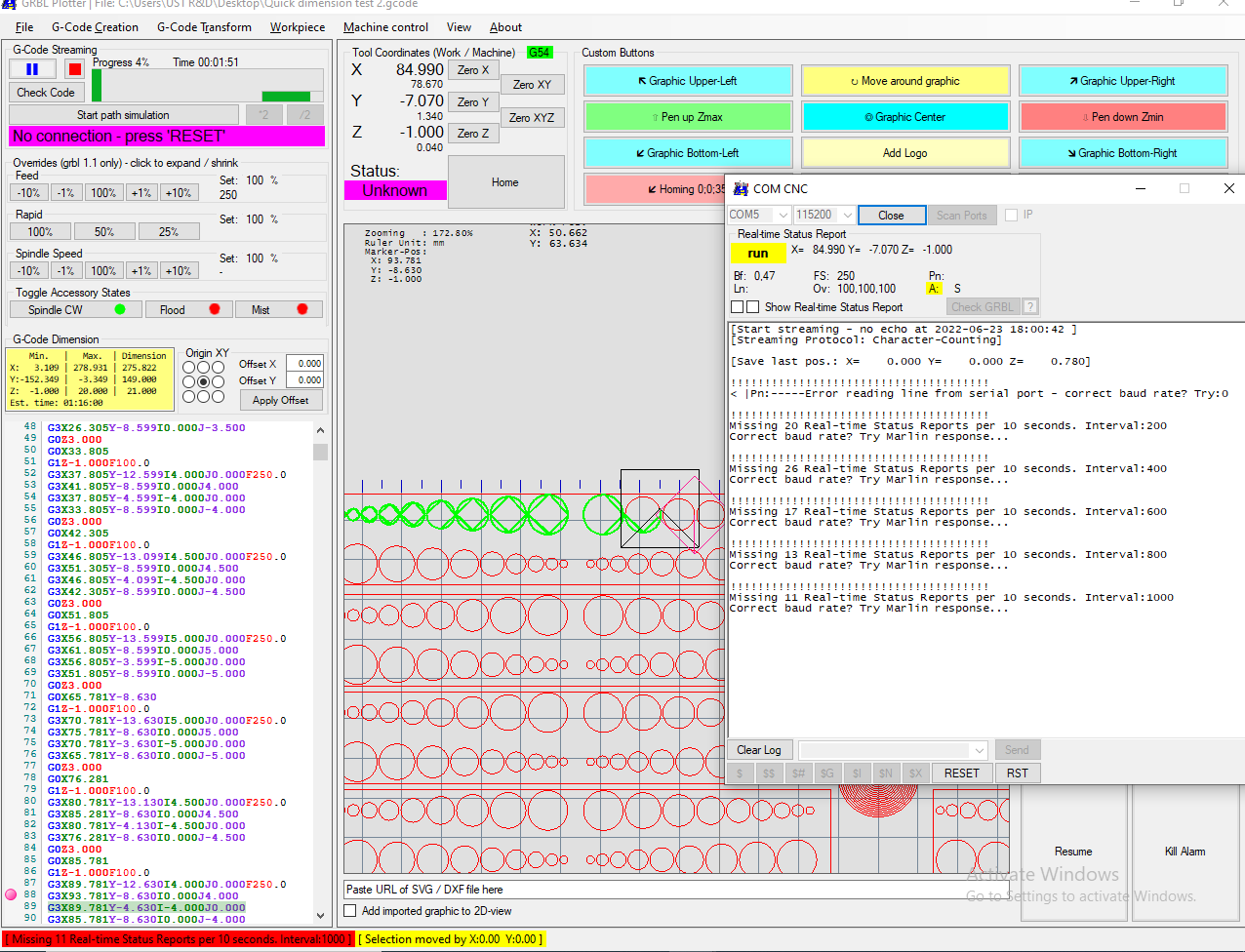
Hi Svenhb, i have checked the voltage drop-down at the arduino side and i dont see any issues there as it is passing 23.8v from the power supply to the shild side, but still getting an error now as shown in image! Missing X real time status!

ERROR: Missing X real time status report per 10 seconds. Interval XXX. Correct baud rate? Try Marlin response #295
Owner

Do you use the regular grbl version from here?: https://github.com/gnea/grbl
Or a version I deliver with my setup?
The problem is:
GRBL-Plotter sends frequently a ‘?’ (https://github.com/gnea/grbl/wiki/Grbl-v1.1-Commands#ascii-realtime-command-descriptions)
To get the actual tool coordinates (https://github.com/gnea/grbl/wiki/Grbl-v1.1-Interface#real-time-status-reports)

But your system is not responding during gcode streaming…

ERROR: Missing X real time status report per 10 seconds. Interval XXX. Correct baud rate? Try Marlin response #295
Author

I’m using the regular grbl version 1.1 from the link you have mentioned. The only changes i have done in the code is in config.h i.e., i have commented the VARIABLE SPINDLE to make my Z-axis work properly.

ERROR: Missing X real time status report per 10 seconds. Interval XXX. Correct baud rate? Try Marlin response #295
Owner

Can you upload your hex-file (perhaps zipped) so I can try it on my arduino-nano to see if the same problem occurs?

ERROR: Missing X real time status report per 10 seconds. Interval XXX. Correct baud rate? Try Marlin response #295
Author
mdsultan11 commented on Jun 24, 2022  

You mean just the config.h file or complete grbl 1.1 folder?
Attached complete grbl folder!
grbl-1.1h.20190825.zip

ERROR: Missing X real time status report per 10 seconds. Interval XXX. Correct baud rate? Try Marlin response #295
Owner

I mean the data you upload to your arduino, some how you can extract the hex-file from the Adruino-IDE.
Did you try to upload an other grbl version (e.g. the original one), perhaps your change in config.h is the reason…

How to ulpoad a hex-file via Xloader: https://grbl-plotter.de/index.php?id=quick-guide

ERROR: Missing X real time status report per 10 seconds. Interval XXX. Correct baud rate? Try Marlin response #295
Author

Oh oka..Actually i have uploaded the grbl upload file from this above zipped file and i have uploaded through using Arduino IDE.

As you mentioned i will try uploading this attached hex-file in my Arduino Uno using X-loader and try running my machine.

ERROR: Missing X real time status report per 10 seconds. Interval XXX. Correct baud rate? Try Marlin response #295
Owner

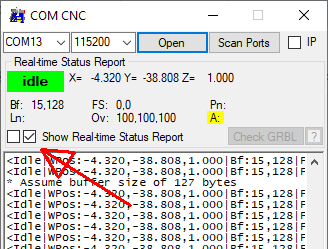
BTW: you can watch the status reports, when enabling this checkbox. If you start streaming does they stop?
Note: this feature slows down the streaming process…
ERROR: Missing X real time status report per 10 seconds. Interval XXX. Correct baud rate? Try Marlin response #295

ERROR: Missing X real time status report per 10 seconds. Interval XXX. Correct baud rate? Try Marlin response #295
Author

Hi Svenhb,

I have uploaded the hex-file using X-loader as you mentioned (I couldn’t able to do homing because the Z-axis limit switch is not working here now after uploading the hex-file into the UNO and also i couldn’t able to edit the code now and its fine).

But now i didnt see the Missing X real time status report now but before the code starts running ‘m facing the Kill Alarm issue now
ERROR: Missing X real time status report per 10 seconds. Interval XXX. Correct baud rate? Try Marlin response #295
!

ERROR: Missing X real time status report per 10 seconds. Interval XXX. Correct baud rate? Try Marlin response #295
Owner

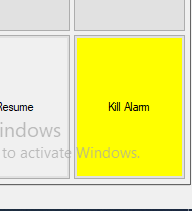
Just press “Kill alarm”
ERROR: Missing X real time status report per 10 seconds. Interval XXX. Correct baud rate? Try Marlin response #295

ERROR: Missing X real time status report per 10 seconds. Interval XXX. Correct baud rate? Try Marlin response #295
Author
mdsultan11 commented on Jun 24, 2022  

As soon as i press the Kill Alarm, the tool co ordinates will change and move in some weird direction and start from there.

ERROR: Missing X real time status report per 10 seconds. Interval XXX. Correct baud rate? Try Marlin response #295
Owner
svenhb commented on Jun 24, 2022  

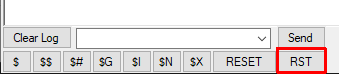
Then do a hard-reset and the coordinates will be set to “0”
ERROR: Missing X real time status report per 10 seconds. Interval XXX. Correct baud rate? Try Marlin response #295

ERROR: Missing X real time status report per 10 seconds. Interval XXX. Correct baud rate? Try Marlin response #295
Author
mdsultan11 commented on Jun 24, 2022  

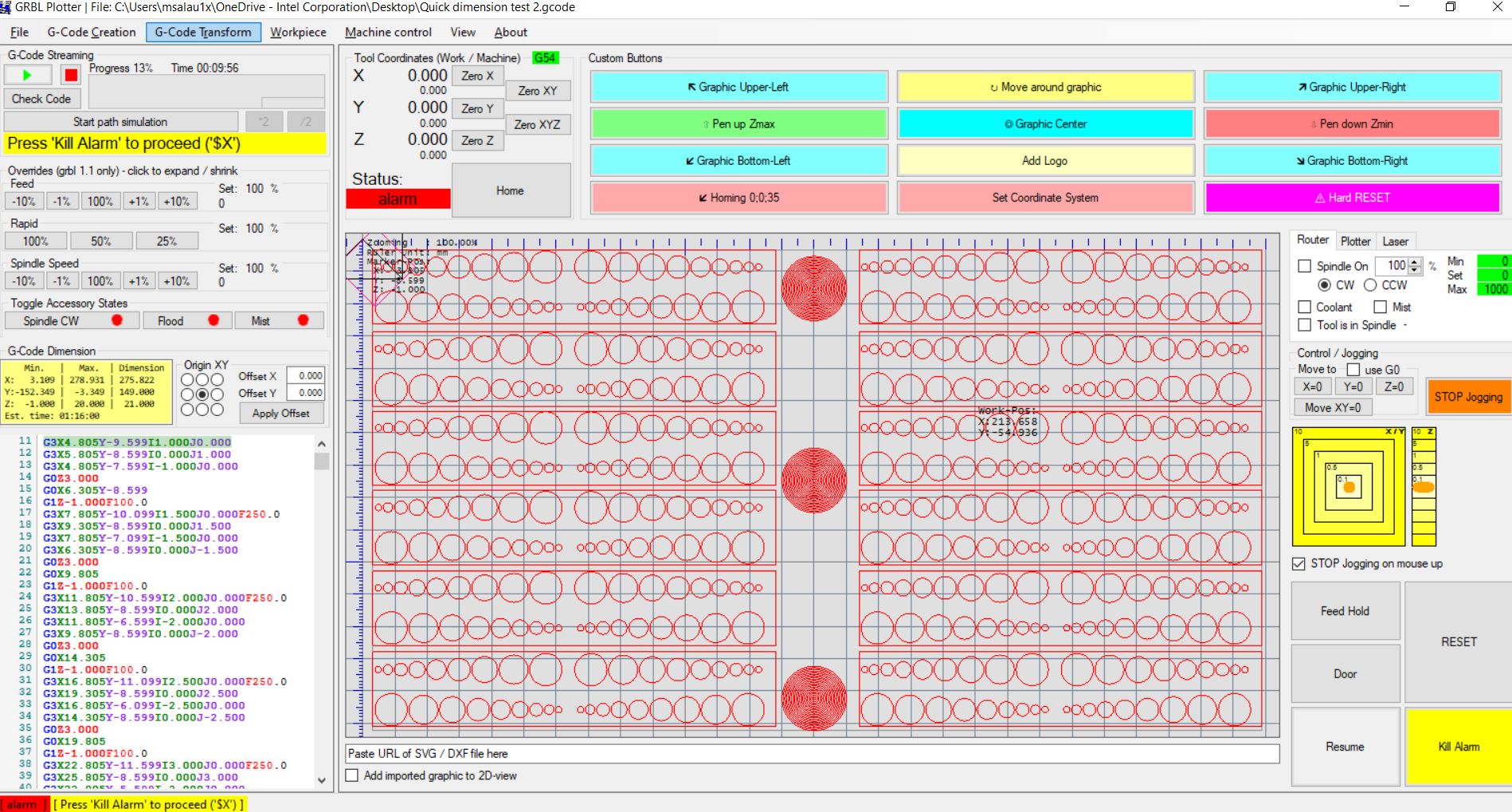
Hi Svenhb, as you said i have done hard-reset and luckily it ran for some time like for 9:56mins (1st time it ran too long). Then again it got stopped in running condition because of sudden Kill Alarm as shown in pic and also all the co-ordinates became 0.00 in the same stopped position.
ERROR: Missing X real time status report per 10 seconds. Interval XXX. Correct baud rate? Try Marlin response #295
.

ERROR: Missing X real time status report per 10 seconds. Interval XXX. Correct baud rate? Try Marlin response #295
Owner
喜欢 (0)