

评论
.jpg "带 sbase 的 Mks tft35(无图像) #194")
|
嗨,我在 MAC OS 上修改“mks_config.txt”文件时遇到了同样的错误。 |
.png "带 sbase 的 Mks tft35(无图像) #194")
|
@yummyburger |
.png "带 sbase 的 Mks tft35(无图像) #194")
|
嗨,所有人都遇到了与 yummyburger 完全相同的问题。甚至包括他发布的照片。使用示例和/或所有组合尝试了来自 Makerbase 的未注明日期的文件。只是将 nt 启动图像!!!??? 我正在使用 Mac,因为我只有这些。 |
|
嗨,制造商基地,仍然没有运气,它启动了所有权利,但没有按钮的图像。将不胜感激帮助得到这个工作请。下面是启动完成后我正在查看的图片。如前所述,似乎与 yuhmmyburger 完全相同。但是我无法访问只有 MAC 的 Windows 计算机,所以建议的解决方案是什么。我也试过你的新发布文件V1.01,还是不开心。 |
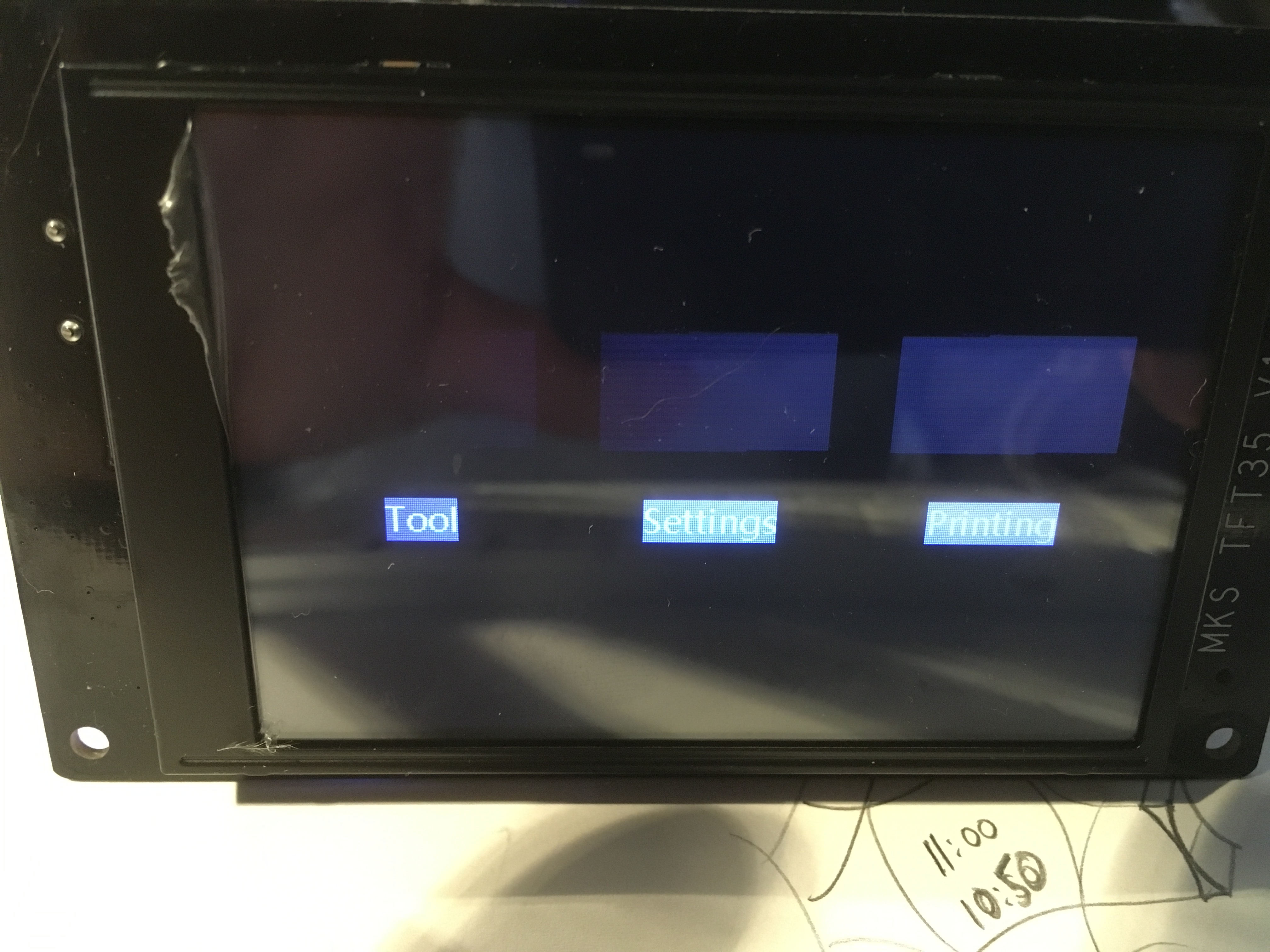
|
@MTUpower |
|
嗨 Makerbase,感谢您非常无益的回复!在我之前的两篇文章中,我说过我使用的是 Mac,所以更具体地说,操作系统是 MacOS high Sierra,版本 10.13.6。我还说过我无法访问 Windows,我不使用该操作系统。因此,除了出去购买基于 Windows 的操作系统之外,您是否有解决这个影响 Mac 用户的问题的方法? |
|
给您带来的不便敬请谅解,我们会在macos系统中进行测试,尽快解决此问题。 |
|
@MTUpower我们已经测试了这个问题。因为,在image文件里面的mks-pic文件夹里,有135个bin文件。如果使用iMac系统软件解压tft35的固件,除了mks-pic文件夹中有135个bin文件外,还隐藏了一些备份。文件。因此,图片的更新会出现乱序。我们会尽快修复并更新版本。现在您当前的解决方案是设置那些隐藏文件的显示并删除它们。更新固件后即可正常显示。 |
|
早安 Makerbase,非常感谢您的回复和对问题的调查。我想我理解你在短期内的建议,并会试一试,但会问你是否可以指出你所指的文件。希望尽快看到更新。非常感谢所有 Mac 用户。 |
|
嗨 Makerbase,我确实尝试了你在 10 月 17 日的建议,但没有成功!!如果您可以显示您所指的特定隐藏文件,将会有所帮助。您是否有关于何时为所有 Mac 用户提供更新的消息? |
|
早上好 Makerbase,我仍然没有运气获得 TFT35 屏幕图标。我试图找到您的隐藏文件,但不知道去哪里找?有关于 Mac 用户更新的消息吗?因为拥有一个漂亮但无法使用的屏幕令人沮丧。如果您可以发布逐步指南以使屏幕正常工作,这将有所帮助。 |
|
你好 Makerbase,圣诞快乐,仍然无法使用我的 TFT35 屏幕,这非常令人失望,关于何时解决 9 月份报告的 Mac 用户的屏幕图标问题,你有什么消息吗??? |
|
嗨,Makerbase,自去年 10 月 17 日以来,您还没有礼貌地回复我的帮助和信息请求,我觉得不可思议。我仍然无法让 TFT35 屏幕正常工作。我已经尝试了新的发布文件,但仍然无法正常工作。事实上,更糟糕的是,我在屏幕上只剩下 Booting…. 或 Complete…. 这真的超出了笑话范围,并且对您缺乏支持感到厌恶。请尝试看看您提供帮助或至少回复的方式。 |
|
从不改变 ! |
.png "带 sbase 的 Mks tft35(无图像) #194")
|
你好@MTUpower. 问题在于隐藏文件(所有以 .(点)开头的文件)
this works for me with a mac with MacOS Mojave. |
|
Hi OMACH, |
.png "带 sbase 的 Mks tft35(无图像) #194")
.jpg "带 sbase 的 Mks tft35(无图像) #194")
.jpg "带 sbase 的 Mks tft35(无图像) #194")
也适用于 Big Sur,谢谢@omach |
.png "带 sbase 的 Mks tft35(无图像) #194")
.png "带 sbase 的 Mks tft35(无图像) #194")
.png "带 sbase 的 Mks tft35(无图像) #194")




嗨,我的 tft35 不显示任何图像,只显示字母。有人知道怎么了吗?
bootup mks logo只能看到一点点,满是线条